Other apps like Jerboa have a lil button for commenting with an image or gif. I cant see one for Summit, am I blind?
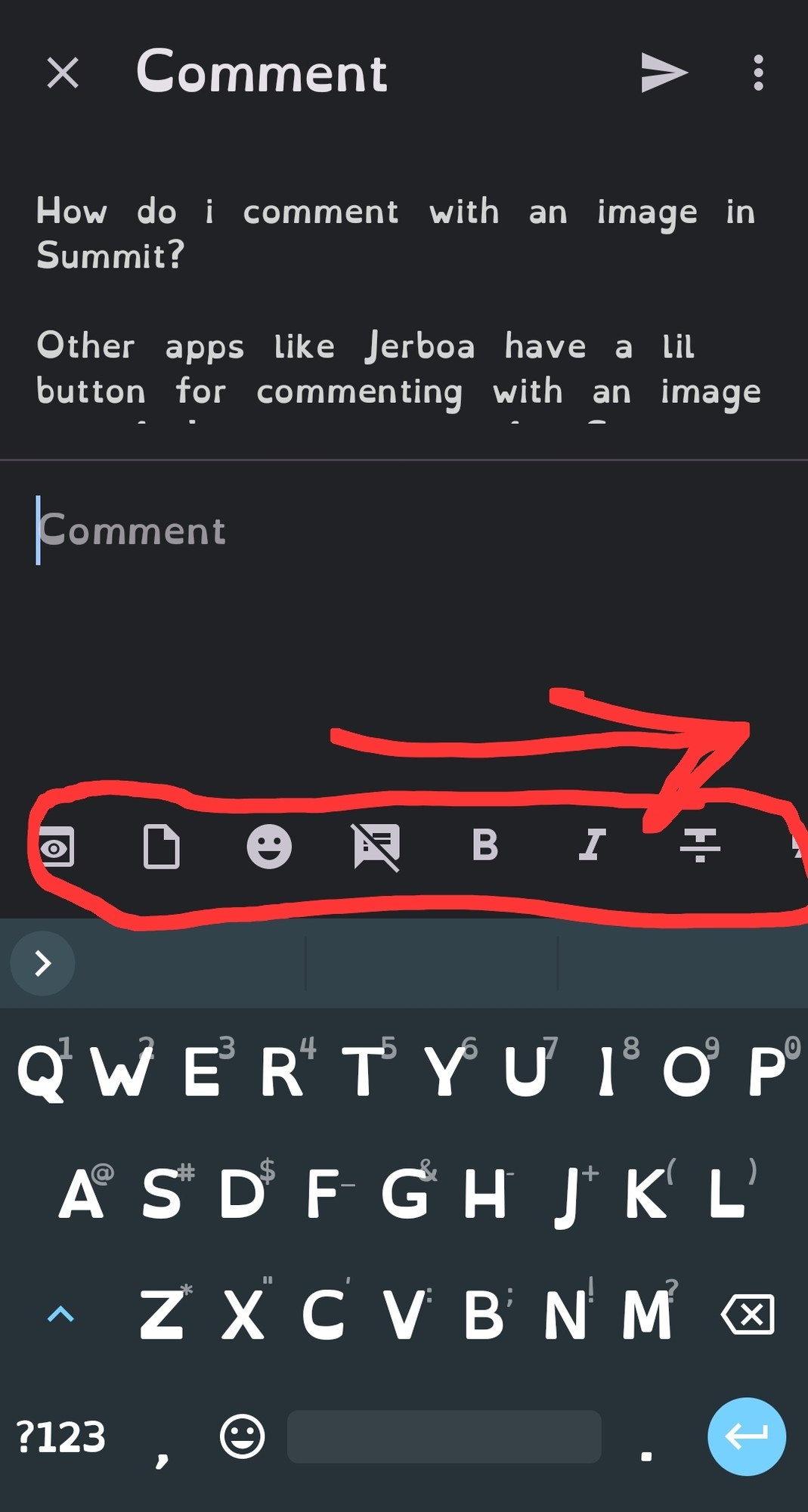
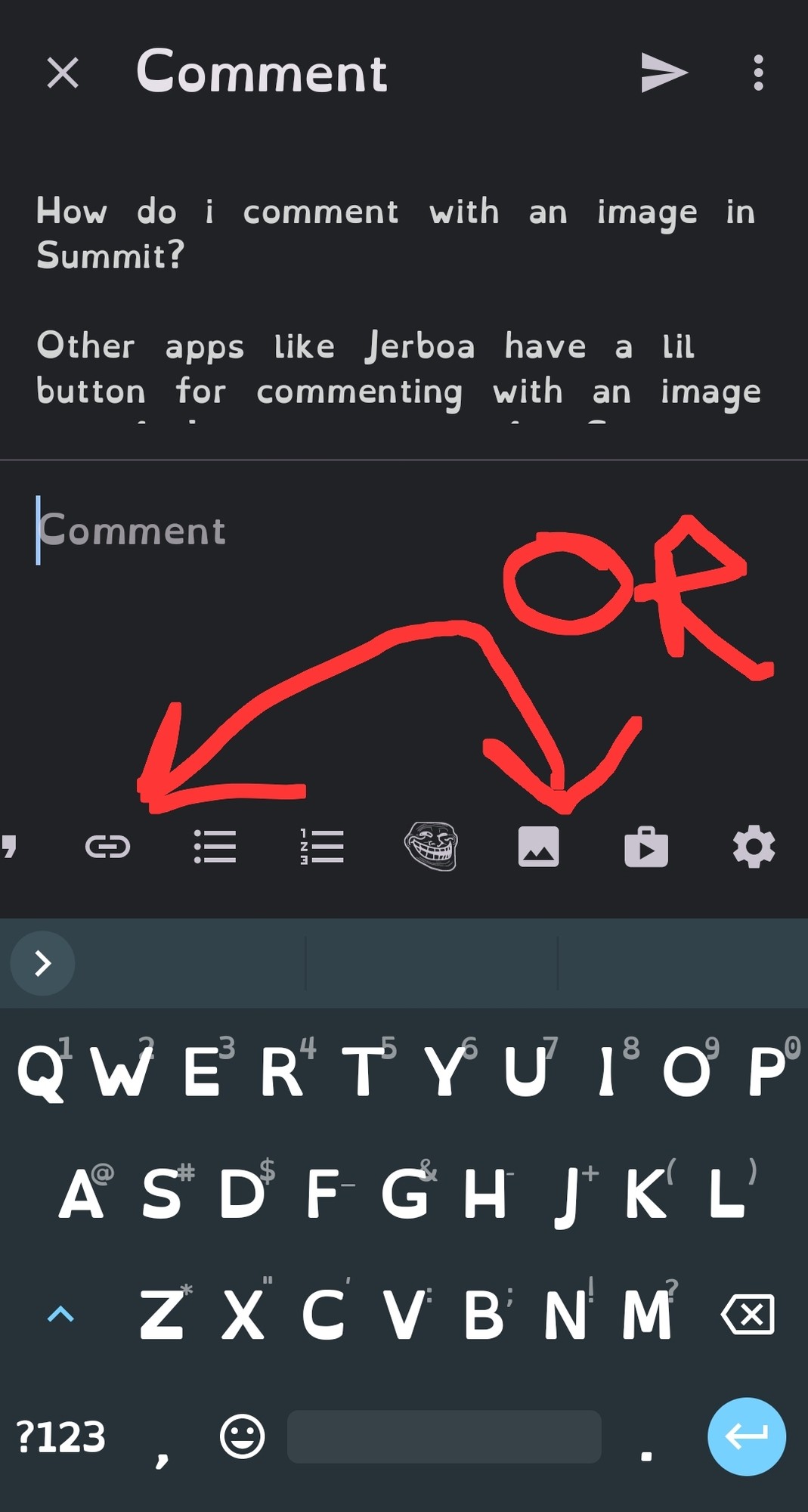
Omfg the options scroll, im dumb. To be fair though theres no indication that theres more options to the right
Just seeing this thread now, so you may have figured this out already, but if you scroll the options all the way over, there is a gear icon. Clicking that, you can rearrange the items on that toolbar to, for instance, move that add image button over so you don’t have to scroll over every time you want to use it if you use that more than some other things.
I did not notice that, thanks!
Nearly everything in Summit is customizable at this point, which is amazing, if you can find how to do it! 😅
I’ve honestly lost track of all the features it has now, it’s so overwhelmingly powerful.
There’s a button for uploading an image, and you can type out an existing image link as such:
You can add alt text as: